Key points
- The maintenance register lists what the crew maintains; accounting's fixed asset register lists what was capitalized.
- Nine fields are enough to start, from the tag number to a photo of the nameplate.
- Give each asset a short tag, such as CMP-01, and never reuse a retired machine's tag.
- At about 4 minutes an asset, 150 assets take 10 hours of walking.
- Change it the day equipment is installed, moved or retired, and walk one area a quarter.
What an asset register is, and what it is not
The term has three common meanings, each a list with one line per asset: the maintenance list of equipment the crew looks after, accounting’s fixed asset register of what the company has capitalized, and the inventory of computers, software and data that IT and information-security teams keep. This guide is about the first, one of the first things a CMMS needs.
A maintenance asset register (also called an asset list, equipment list or equipment inventory) answers the three questions asked before every job, so the right manual is opened and the right part is ordered:
Where a maintenance program starts
Almost every maintenance program starts here. The US Department of Energy’s O&M Best Practices Guide puts “develop a master equipment list” first in its steps for moving a site off a purely reactive program.
A preventive maintenance schedule, a spare parts list and a repair history all hang off the register. The list people mix it up with is accounting’s:
| Maintenance asset register | Fixed asset register | |
|---|---|---|
| Kept by | Maintenance | Accounting |
| What is on it | Everything the crew maintains | Everything the company capitalized |
| Key fields | Location, type, make, model, serial number, status | Purchase date, cost, depreciation, book value |
| Used for | Work orders, schedules, parts | Taxes, insurance, the balance sheet |
Keep them apart. Where a machine is on both, put the same tag number on both, so a question from accounting about “the compressor bought in 2019” can be answered by tag.
What to record for each asset
Nine fields are enough to start, and every one of them gets used.
| Field | Why it earns its place |
|---|---|
| Tag number, such as CMP-01 | Tells two identical machines apart, and goes on the machine |
| Name, such as Air compressor 1 | What people call it, in words a new hire understands |
| Location, such as Utility room, Building 1 | Where to walk to |
| Type, such as Air compressor | Groups like machines for schedules and spare parts |
| Part of, such as Conveyor 1 for its gearbox | Hangs a component on the machine it belongs to |
| Manufacturer and model, from the nameplate | Manuals and parts are looked up by these |
| Serial number, from the nameplate | Makers ask for it when you order parts |
| Status: in service, down or retired | Shows what is running |
| Photo of the nameplate, one clear, readable shot | Keeps the voltage, size and year you did not type |
The field people skip and later regret
The serial number. One pump maker’s installation and maintenance manual, for example, asks for the serial number, size and type from the nameplate with every spare parts order. A nameplate hidden behind a guard is far easier to photograph on the day you build the list than on the day the pump fails. Do it with the machine stopped and the guard on; if the guard hides it, read it at the next locked-out service, never with the machine running.
When a rule says what the record holds
In the US, a motor carrier’s maintenance records under 49 CFR 396.3(b) must identify each vehicle by company number (if it is marked), make, serial number and year, along with what inspections and maintenance are due and what was done.
Read the rule that applies to your equipment; in Canada, check your province’s or territory’s rules.
Add these when you have them: the maker’s manual as a PDF, the asset’s spare parts (its maintenance bill of materials), the vendor or service contractor and who to call, the year it was installed, a criticality score and any warranty end date.
Asset register template: the eight columns
The register is free to download, with no sign-up: an Excel file with room for 150 assets and a Status list, or a landscape PDF to take round on a clipboard.
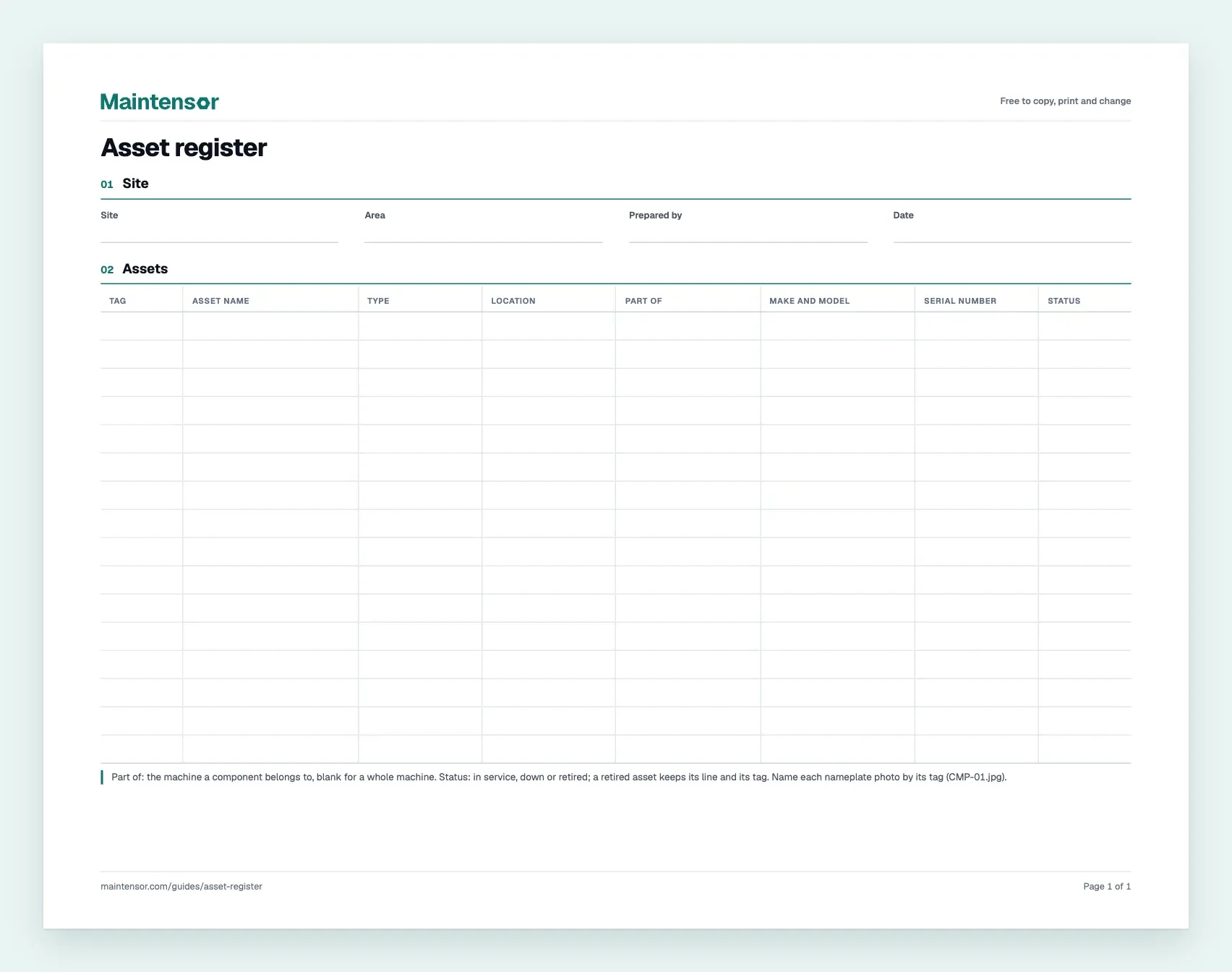
One row per asset, in eight columns: the fields above without the photo. Location is the room or line, and Part of stays blank for a whole machine. Name each nameplate photo by its tag (CMP-01.jpg), so a row and its photo find each other.
Asset register example: eight lines from a sauce plant
A made-up plant that cooks and bottles sauces. Every tag, model and serial number is invented, and makers are shown as letters.
The eight lines, column by columnFrom the air compressor to the forklift that is down, with the retired capper kept on
| Tag | Asset name | Type | Location | Part of | Make and model | Serial number | Status |
|---|---|---|---|---|---|---|---|
| CMP-01 | Air compressor 1 | Air compressor | Utility room | Maker A, RS-30 | 30-11872 | In service | |
| KTL-01 | Batch kettle 1 | Kettle | Kitchen | Maker B, SK-200 | 200-3391 | In service | |
| MIX-01 | Kettle 1 agitator | Mixer | Kitchen | Batch kettle 1 | Maker B, AG-5 | AG5-1120 | In service |
| CNV-01 | Conveyor 1, Line 1 | Conveyor | Line 1 | Maker D, BC-24 | BC24-7710 | In service | |
| GBX-01 | Conveyor 1 gearbox | Gearbox | Line 1 | Conveyor 1, Line 1 | Maker E, HG-80 | HG80-55102 | In service |
| MTR-01 | Conveyor 1 drive motor | Motor | Line 1 | Conveyor 1, Line 1 | Maker F, 3 hp, 460 V | F3-882014 | In service |
| CAP-02 | Capper 2 | Capper | Warehouse | Maker C, CP-6 | CP6-0021 | Retired | |
| FL-01 | Forklift 1 | Forklift | Warehouse | Maker J, 5,000 lb | J50-61734 | Down |
A retired machine keeps its line and its tag. Capper 2 stays on this list, so its history is still there when someone asks whether its parts fit its replacement.
What to skip at first
A register that takes three months to finish is a register nobody finishes. Leave these out of the first pass:
- Purchase price, depreciation and book value. Accounting has them.
- Every number on the nameplate. The photo keeps them. Type only what you search by.
- Things nobody writes a work order for. Chairs, hand tools, ordinary light fixtures. Emergency lights are the exception: they get tested, so they get a line.
- Parts. A bearing or a V-belt is a part in the storeroom, not an asset.
- Components you never service on their own, such as a conveyor’s return rollers, until one needs its own history.
The test for any item: will someone write a work order against it, schedule work on it or want its history? If not, it stays off.
Naming and tagging
A name says what the thing is and which one. A tag is a short code that never changes.
| Name to avoid | Better name | Tag |
|---|---|---|
| Comp | Air compressor 1 | CMP-01 |
| Bob’s press | Press brake 2 | PRB-02 |
| New RTU | Rooftop unit 3, offices | RTU-03 |
| Old capper | Capper 2 (retired) | CAP-02 |
- Use the crew’s words. If everyone says “the shrink tunnel”, the name is “Shrink tunnel, Line 2”.
- No people, no “new” or “old”. People leave and new machines age.
- Keep a short list of type codes: CMP for compressors, CNV for conveyors, RTU for rooftop units.
- Pad the numbers. CMP-01, not CMP-1, so lists sort in order.
- Leave the room out of the tag. Machines move; the tag should not have to.
- Never reuse a tag. A new capper is CAP-03, so old work orders still point at the right machine.
Put the tag where an operator can read it, on the frame rather than on a guard that gets replaced. In wet or hot places, an engraved or riveted plate outlasts a sticker.
Locations inside locations, and parent and child assets
Locations come before assets. Most small sites need two or three levels: the site, the building or area, then the room or line. Every asset sits in exactly one location.
Assets can sit inside assets too. A conveyor’s drive motor and gearbox each have a nameplate and get swapped as units, so each can be its own asset, part of the conveyor. Stop at the level you replace from the storeroom: below that is the parts list. The asset hierarchy entry has a worked tree and how deep a small team should go.
Identical machines, such as eight sewing machines or twelve guest-room heat pumps, are worth a decision up front. If each gets its own repairs, give each its own tag and serial number, so each keeps its own history. If they are treated as one, one line with a count will do.
How to build it in a week
Build it one area at a time, in six steps:
- Sketch the locations. On paper, before the walk: site, areas, rooms and lines.
- Agree the type codes and the naming rules. Ten minutes now saves renaming two hundred lines later.
- Walk one area at a time. At each machine, write the tag and the name, photograph the nameplate and the machine, and put the tag on.
- Type it up the same day, from the photos, while you still remember which machine was which.
- Start with what matters if time is short: what stops production, what can hurt someone, and what has an inspection set by rule.
- Have someone who knows the site read the list. They will name the pump in the crawl space nobody wrote down.
ExampleHow long 150 assets take
Assume a pace of about 4 minutes per asset to find the nameplate, photograph it and write the line.
an assumed pace
150 × 4 ÷ 60
That is two or three half days, plus an afternoon of typing. Your pace will differ; a small site’s register is days of work, not months.
Keeping it current
A register is wrong a month after it is finished, unless changes go in as they happen.
- Installed. Add the asset before its first work order, and photograph the nameplate before the guards go on.
- Moved. Change the location the same day.
- Replaced. Give the new machine a new line and a new tag, and mark the old one retired. Do not overwrite the old line: its history belongs to the old machine.
- Scrapped or sold. Mark it retired and keep the line.
- Walked. Once a quarter, take the list to one area and check it: tags on, nameplates readable, nothing missing.
The surest sign of a gap is a work order that cannot find its asset. When that happens, add the asset there and then.
A spreadsheet holds a register well for a long time; the maintenance spreadsheet guide has a test for when it stops being enough.
Building the register in Maintensor
As equipment maintenance software, Maintensor keeps the register as its assets list, grouped by location. Locations nest, so the plant, the production hall and Line 1 sit one inside the other.
- The fields. An asset needs a name and a Location. It can also have a Type, a Parent asset, a Nameplate with Manufacturer, Model and Serial number, a Description and photos.
- Status. Operational, In maintenance, Down or Retired, with moves and any reason kept in the asset’s History. Moving an asset takes its open work orders with it.
- Identical machines. One asset with units, each with its own name and serial number, status and work orders.

On Pro and Max, a register you already keep in Excel or CSV can be imported: an asset needs a name and a location, its type, parent asset, manufacturer, model, serial number and description are read too, and every row is shown before anything is saved.
What it does not do
There is no export. There are no fields for criticality, warranty, purchase date or cost; if you need the install year or a warranty end date, write it in the Description.
There is no separate tag field, so start the name with the tag (“CMP-01 Air compressor 1”); the list’s search finds it there. The list groups assets by location, not under their parent, so a name like “Conveyor 1 drive motor” keeps the link in view. A motor that is part of a conveyor takes the conveyor’s location.