Key points
- Print the free form below; people use it when there is one way in, a queue someone reads, and an answer back.
- The asker says how urgent it seems; maintenance sets the priority.
- Suggested targets: answer urgent requests within an hour, soon the same day, can wait within two working days.
- A decline gives the real reason and says what happens next.
- In an emergency, people raise the alarm and call first, and it is written up afterwards.
A free maintenance request form to print
One page, free and with no sign-up: what is wrong, where it is, how urgent it seems and who is asking, then a part for maintenance to fill in. It works for a front desk, a loading dock or a site without devices.
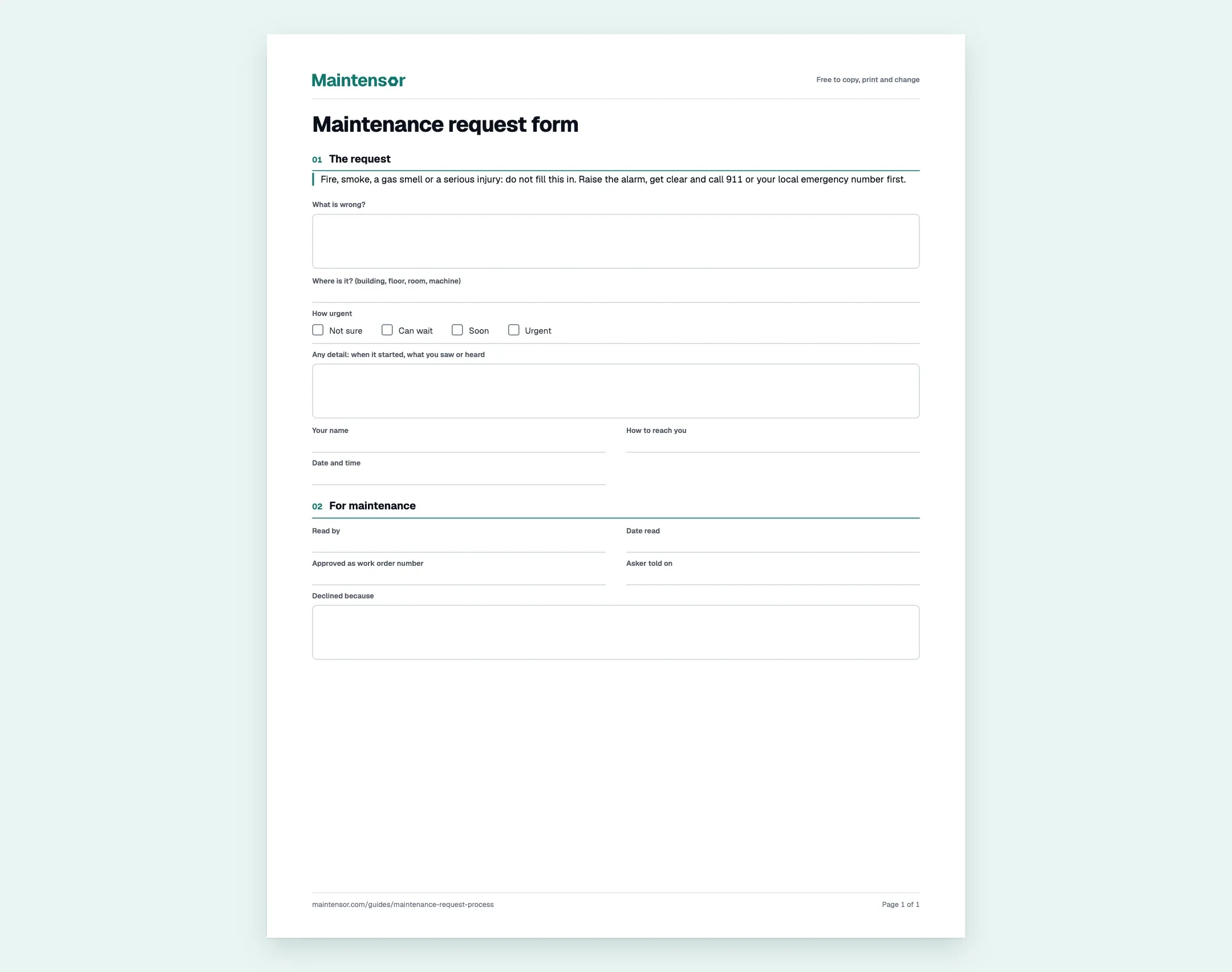
Here is one filled in; every entry is made up.
ExampleA request slip, filled in
| Maintenance request | |
|---|---|
| What is wrong? | Dock light flickers and buzzes |
| Where is it? (building, floor, room, machine) | Shipping dock, over door 4 |
| How urgent? (tick one: Not sure, Can wait, Soon, Urgent) | Soon |
| Any detail | Started Monday, worse in the morning |
| Your name, and how to reach you | Kevin Brooks, shipping office, extension 214 |
| Date and time | Tuesday, 6:50 a.m. |
| For maintenance: approved as work order number, or declined because | Approved as WO-2215 |
Slips go in one box, emptied at set times each working day, and copied into wherever requests are kept.
What the request form must ask
| Field | Why maintenance needs it | Required? |
|---|---|---|
| What is wrong | The one line everyone reads in the queue | Yes |
| Where is it | Saves a search, and points to the asset | Yes, as far as the asker knows |
| How urgent it seems | Helps sort the queue | No |
| Any detail | Saves a trip back to ask | No |
| Who is asking | So the answer can go back | Yes, ideally filled in for them |
What not to ask:
- A priority code. The asker cannot see the rest of the queue, so ask how urgent it seems.
- An asset number. “Third floor, east side, the room by the elevator” is enough. Maintenance fills in the asset.
- A work type, a cost center or a cause. These belong to maintenance, and each extra box is one more reason to go find a technician.
The one-minute test
Someone who has never seen the form fills it in, standing up, in under a minute.
The three parts: one way in, a queue, an answer back
People use a request process when there is one way in, someone reads the queue every working day, and every request gets an answer back, including the ones that get a no. Otherwise they ask in the hallway, because it works: a form that goes into a shared inbox and never answers teaches everyone to catch someone carrying a toolbox.
One way in
Pick one channel for everything that can wait an hour: a request form, an app, or a slip box at the front desk for people without a device. One, not three.
Texts to a technician’s phone, notes on the shop door and emails to the manager get a polite redirect: “Please put it in as a request so it does not get lost.” Emergencies are the exception, and the policy says so.
A queue someone reads
One named person reads new requests at set times, for example at the start of each shift and after lunch, with a named backup for days off. Every request gets one of three outcomes:
A request left unread for a week is a decline that nobody sent.
An answer back
The asker hears the decision, and later hears that the job is done.
What OSHA recommends
OSHA’s recommended practices for safety and health programs make the same point about safety concerns: follow up promptly on what workers report, and tell them what was done about it (OSHA, worker participation). That page is guidance, not a rule, and the advice holds just as well for a door that sticks.
How a request differs from the work order it may become, and who writes each, is covered in work request vs work order.
Response targets by urgency
Targets turn “we’ll get to it” into a promise people can check. The ones below are a suggestion, not a standard: no general rule sets response times for ordinary maintenance requests, though a lease, a service contract or a local housing code can set some (heat for tenants, for example). Fit them to the crew you have, post them where requests come in, and keep them.
| The asker picks | What it usually means | Answer the asker within | Work usually starts within |
|---|---|---|---|
| Urgent | Unsafe, stopped, leaking, or a guest, tenant or class affected | 1 hour during staffed hours, and a phone call | The same shift |
| Soon | Working but getting worse, or a workaround is in place | The same working day | 1 to 3 working days |
| Can wait | Cosmetic, comfort or convenience | 2 working days | 2 to 4 weeks, often batched with nearby jobs |
| Not sure | The asker cannot judge | The same working day | Maintenance decides |
“Answer” means the decision, not the finished repair: “approved, Thursday morning” within the hour keeps more trust than a fix in two days in silence. The work then takes the priority maintenance gives it, using levels like those in what a work order is.
Count two things each week:
A one-page request policy you can print
Copy this into your own one-page document, fill in the parts in parentheses, print it, and post it where people look: the break room, the front desk, the shop door.
| Maintenance requests at (site name) | |
|---|---|
| What this covers | Anything broken, unsafe, too hot, too cold, leaking, noisy or not working in (buildings, lines, rooms) |
| How to report | (The one way in: the request form, the app, or the slip box at the front desk.) One problem per request. |
| Emergencies | Fire, smoke, a gas smell or a serious injury: raise the alarm, get clear and call 911 or your local emergency number first. Then, and for flooding, a stopped line, or a guest or tenant without heat or water: call (number) or radio (channel). We write it up afterwards. |
| What to tell us | What is wrong, where it is, how urgent it seems, and your name. |
| What happens next | (Name) reads requests at (times) on working days, and (backup name) when they are out. Each request is approved or declined. |
| When you will hear back | Urgent: within 1 hour during staffed hours, so if it is unsafe, phone as well. Soon: the same working day. Can wait: within 2 working days. |
| If the answer is no | You get the reason and what to do instead. Ask (name) if it does not make sense. |
| Not ours | (IT equipment, phones, furniture moves, cleaning, personal items): please send these to (who). |
| Please do not | Stop a technician on the way to another job, unless it is an emergency. |
| Questions about this policy | (Name, phone) |
How to decline well
A decline is an answer, and a good one keeps people reporting. Four rules:
| Reason | A decline that helps |
|---|---|
| Already reported | “This was reported this morning. Andre is on it as WO-3118 and expects to finish by 3 p.m.” |
| Already scheduled | “The filters on that unit are changed on the 15th with its monthly service. If it gets worse before then, send a new request marked Urgent.” |
| Not maintenance | “Monitors and docking stations belong to IT: the help desk is at extension 2200.” |
| Needs a budget | “A second outlet at the reception desk needs an electrician and a budget line. I have sent it to the office manager to approve, and we will book it once it is.” |
| Could not find a fault | “We ran the dryer for 30 minutes and heard nothing unusual. If it happens again, note the time and send a new request.” |
Look over the declines once a month. A run of “not maintenance” means the policy’s “not ours” line is missing something.
Maintenance request example: a 120-room hotel’s first month
The hotel and every number here are made up. In the week before the change, the crew of four was stopped 31 times in hallways and on the radio. Then Frank Morris, who leads it, set up one way in through the front desk and read the queue three times a day, with Alex Turner as backup. Emergencies stayed outside the queue.
ExampleThe first month, counted
- 212 requests received
- 183 approved into work orders (86%)
- 29 declined (14%), 17 of them already reported (8% of all requests)
- 196 answered within target (92%)
- 7 hallway and radio stops in the last week, down from 31
The 17 repeats were the useful surprise: staff could not see that a problem had already been reported. Writing known building-wide problems (the elevator, the pool heater) on the board behind the front desk brought repeats down the next month. Hotel maintenance covers the rest of a hotel crew’s week.
Setting it up in Maintensor
In Maintensor, maintenance requests come from requesters: people you invite by email, who sign in with a code. Requesters are free on every plan, so the front desk, each line lead and the office manager can each have one.
They press Report a problem and fill in “What is wrong?”, “How urgent” (Not sure, Can wait, Soon or Urgent), “Any detail” and “Where is it?”, then Send to maintenance. Only the first is required, and who is asking comes from their sign-in.

An Admin sees the queue with how long each request has waited, and approves each one into a work order, with its priority and due date, or declines it with a reason that cannot be left blank. The requester reads the answer on My requests.
Three things are on Pro and Max only. Email notices go out for new requests and for updates on a requester’s own. Reporting, for Admins, counts requests approved, declined and still waiting, and the average time to a decision. A requester who scans the QR label on an asset or a location gets Report a problem with it filled in.
What it does not do
- The app holds no response targets and sends no reminder when one is missed, so the targets above stay yours to keep.
- Only Admins see the request queue, so whoever reads it, and their backup, must be Admins. A Full user, usually a technician, has no Requests screen.
- Only Admins and Requesters submit requests: a technician writes a work order instead.
- A request is approved or declined. There is no question back in the app, so ask by phone or in person.
- A Requester’s Where is it? picker lists every location and asset, not only their own area.
- There is no public or guest form and no photo on a request.